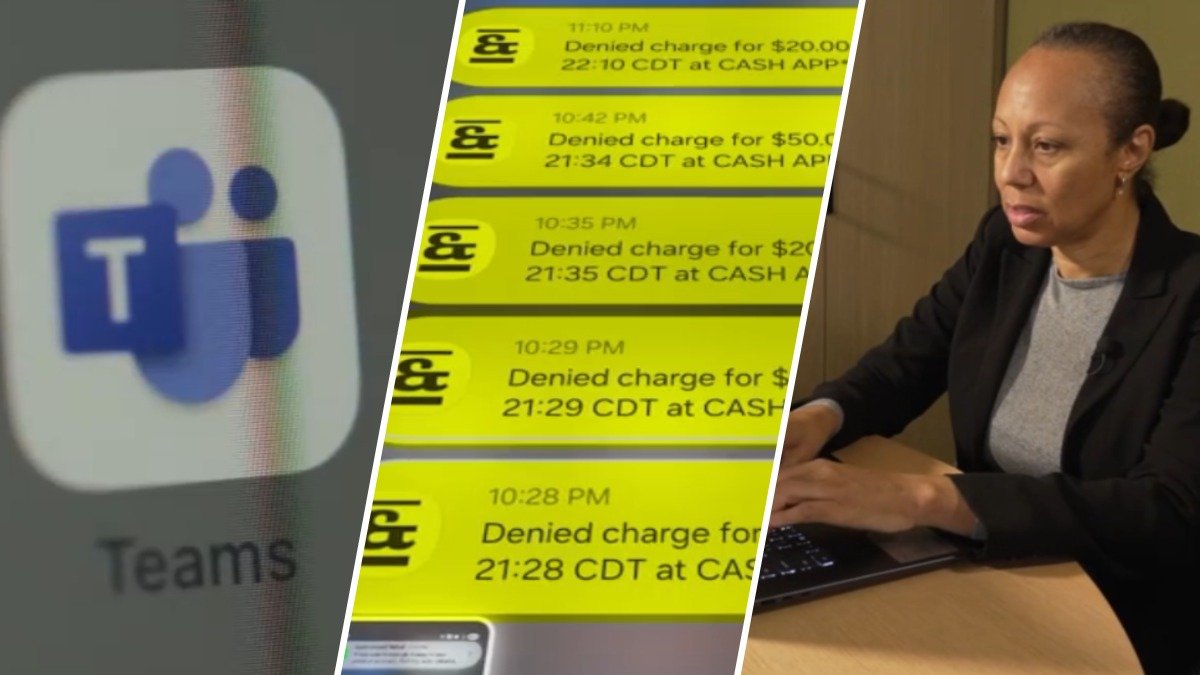
Imagine applying for a job. A recruiter writes back and wants an interview. It’s exactly the email you’ve been waiting for. But for one local woman, what looked like a routine interview invitation led to money disappearing from her account.
News4 shows how the woman was fooled and what to check before you click.
It starts just like any job search would: with an alert from a recruiter.
“They say, ‘We love your resume, your skills are impressive, we want to schedule an interview,’” job seeker Jo Levitt said.
Levitt, of Alexandria, Virginia, thought she was lucky. Her job search was off to a great start. The recruiter sent her a Teams invite.
“Usually when you click on it, Microsoft Teams will open,” she said.
But not this time. Instead of seeing the recruiter on her screen, Levitt noticed something strange.
“It started downloading software,” she said.
“What it downloaded said Microsoft, MS Teams. So, I emailed the person I’m supposed to be meeting with. I let them know, this is not opening a meeting. It’s trying to install something. And she was like, yeah, you have to use it. She said, ‘Your software is out of date.’”
The so-called recruiter told Levitt to follow the prompts and said it all should only take a few minutes.
Asked what prompts she had to follow, Levitt said, “It was an executable file, so it was like, you know, do you give permission for this to be installed? And I had to click yes.”
“I messaged her back and she just said, ‘Oh, I’m gonna just call you on the phone. We can do a meeting by phone.’ Waited for the call and it never happened.”
But Levitt did get several notifications from her bank.
“There was all these dings on my phone that showed that somebody had been attempting to transfer money from my bank account,” she said.
Turns out the recruiter was fake, the job was fake and that Teams link was fake too. When Levitt clicked it, the scammer installed malware.
How scammers are exploiting job seekers’ vulnerability
“There’s a lot of different ways that these scammers can try to exploit vulnerability,” cybersecurity expert Mark Lance said.
Lance said that once these scammers install the malware, whatever tabs you have open, they can access them, no password required.
“What they’ve essentially done is they’re leveraging these saved credentials in your browser that are allowing them to take that session and reopen it from their end to perform certain types of activity,” he said.
This new wave of scams goes beyond those annoying text messages offering remote work for a ridiculous amount of money.
Scammers now are posting jobs on trusted websites such as LinkedIn, Indeed and ZipRecruiter, using spoofed or hacked email addresses that are nearly indistinguishable from legitimate listings. The end goal? Luring unsuspecting job applicants into handing over sensitive information.
“Criminals have identified that this is a route that they can leverage by setting up fake companies, doing fake Zoom interviews, and getting people, again, to depend on this desire for a new position or role so that they can victimize them,” Lance said.
‘The scammers are kind of winning’
In Levitt’s case, the tab to a financial account was open, allowing scammers to get in and steal close to $300.
“I am realizing now that good employers are in the minority on these job boards. The scammers are kind of winning.”
Social media is flooded with job seekers telling their scam stories.
Last year, the FBI got nearly 25,000 complaints about job scams. The losses people reported? Nearly $363 million.
How to spot a scam during your job search
To keep your information safe during your job search, make sure your browser is updated.
If you use Chrome, for example, click the three dots, go to Help, then About Google Chrome. It’ll check for an update right there. If it says “Relaunch,” click it to finish the update.
If you get a Teams invite for a job interview, skip the link in the email. Open Teams yourself, choose “Join with an ID,” and enter the meeting ID and passcode from the invite. If all they sent you was a link, ask them for the ID and passcode.
Levitt says from time to time Indeed will alert her about a fake listing. But usually she’s the one playing whack-a-mole to fish out the fakes.
“Do I have to go through cybersecurity training just to find a job?”
Since we talked, she says she’s come across dozens more fake listings. So now, when an interview invite lands in her inbox, she runs it by AI.
“The minute I get an email that says we want to interview you, I send it to AI. I say, is this legit?” she said.
“I’m getting tech-savvier and savvier every day.”
A Maryland woman lost $10,000 in a Bitcoin ATM scam. Another lost $200,000. In this episode of Susan Makes Sense, News4’s Susan Hogan explains what to do to protect your money.
What the companies told us
News4 reached out to Microsoft. In a statement, a spokesperson said: “Scammers frequently attempt to exploit trusted brands, services, and communication platforms as part of social engineering schemes. As these tactics evolve, Microsoft investigates reports of abuse, takes action against accounts that violate our policies, and continues to strengthen protections designed to identify and disrupt fraudulent activity. We recommend customers get updates from official Microsoft sources and report suspicious activity directly in Teams.”
News4 also reached out to Indeed, but we haven’t heard back regarding Levitt’s situation.
ZipRecruiter says it uses an internal system to detect job scams and will take down posts that violate its terms of use.
LinkedIn told us it’s requiring some recruiters to verify where they work and urging job seekers to report profiles that look fake.